What I use
USES
 Here, you can read about the tech, software, hardware, equipment I use.
Hardware & Desk setup
- 💻 I work on a MacBook Pro 16' - Base model. I do everything on it.
- 📱 Phone : iPhone 12
- 🖥 For external monitors, I have two big 32" displays on which I connect my macbook pro , one at the office and one at home. At home I use Philips and at the office Samsung 4K .
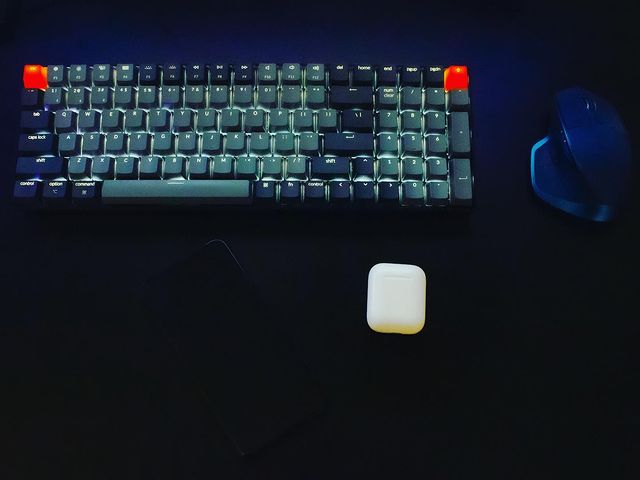
- 🖱 Mouse: MX Master 2S
- ⌨️ Keyboard: Lately I use Macbooks keyboard, but I also have Apple Magic Keyboard and Keychron K2 Wireless Mechanical Keyboard (Version 2)
- At office I have IKEA's Skarsta desk. Small, stirdy and cheap. Adjustable height.
- 🪑 Chair - For both, office and home, I have use Ikea's Markus Chair.
Apps / tools
- For writing code I use VS CODE from 2018. Before that I used Atom, Brackets and Sublime Text.
- VS Code theme I use is paid theme - Monokai Pro (Filter Octagon). I have tweaked some colors a bit, but syntax is completely from theme.
- For terminal i use Hyper. You can follow this tutorial to setup everything.
- Fonts I use for writing code are: Cascadia Code, SF Mono, Operator Mono. I switch them frequently.
- Browser: I switch a lot. Currently, after a whole year of experimenting with every browser, I'm back to Google Chrome.
- Eslint for code formating config - WesBos: No-Sweat™ Eslint and Prettier Setup , with a couple of different rules.
- For writing tasks and getting organized - I use ClickUp. But also Macos Notes App.
- Alfred - Cant work without this app. App launcher, snippets, workflows...
- iStat Menus - For monitoring processes, temperature, connections and more...
- Google drive - backup everything there
- Bartender App - To hide apps in menu bar
- Figma - For Web design. I also use Affinity Designer and Affinity Photo.
- Spark - As my email client
- Pock App - Widgets manager for MacBook Touch Bar